Assistance Manager x Pure Life Holding / Moritz Harringer
A calendar-first dispatch system for event staffing.
Pure Life Holding
Operating umbrella referenced in the project context. No public website verified, so this is shown as business-unit context.

Daniel Kruger
AssistanceManager · dispatch systems and automation
02 · Problem
Your staffing pain is not the calendar. It is the unresolved decisions around it.
Decision question
Is this the bottleneck your dispatcher feels during live events?
What this screen proves
This visual stands for the work your team is already doing before the schedule is stable: checking availability, reconciling blocked days, confirming people, and reacting when something changes. The pitch is not another calendar. It is a way to turn loose staffing decisions into visible operating states.
03 · MVP Coverage
Your first version should cover the original brief before any extras.
Decision question
Would this first version cover your brief tightly enough?
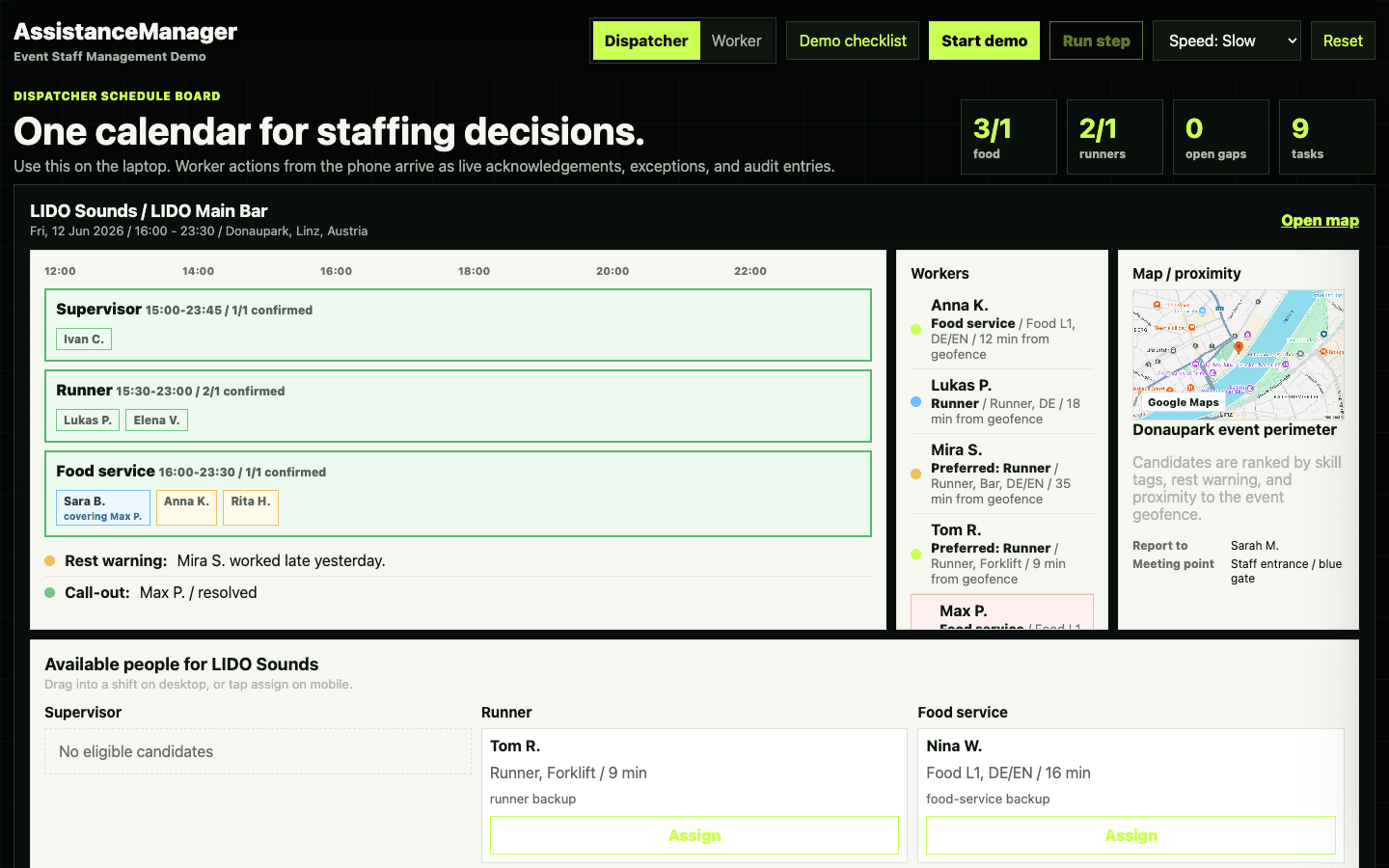
What this screen proves
The dispatcher screenshot shows your first delivery package as an operating board: events, required roles, assigned people, open gaps, candidate suggestions, and dispatcher actions. This keeps the scope anchored to your original request instead of turning the MVP into a long wishlist.
04 · Worker Story
Your staff flow stays inside one personal calendar.
Decision question
Would your staff actually update this without being chased?
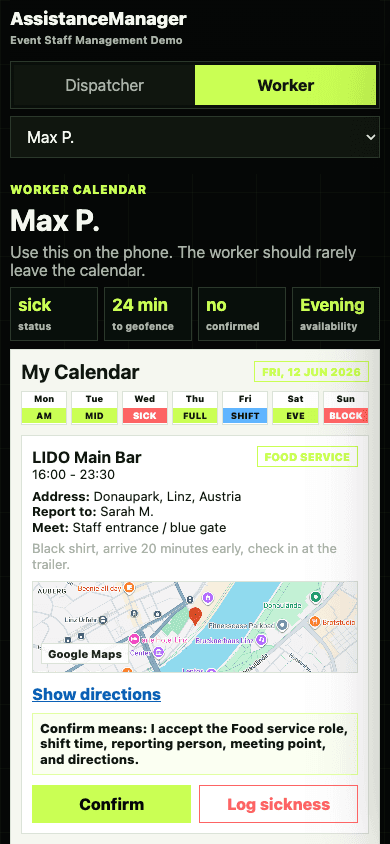
What this screen proves
The phone view is deliberately simple. Each worker sees their own calendar, the shift details, the meeting point, and the next action without asking the dispatcher. The less friction here, the less chasing your team has to do later.
05 · Dispatcher Story
Your dispatcher gets one board for coverage, gaps, candidates, and exceptions.
Decision question
Is one calendar board the right control surface?
What this screen proves
The screenshot shows the dispatcher view as the command center for your operation. Your dispatcher can inspect a date, see which roles are short, review suggested people, assign someone, and keep approvals in one place. This borrows the useful part of field-service schedule boards without copying enterprise complexity.
06 · Replacement Flow
A sick call should not become a broadcast scramble.
Decision question
Should replacements stay dispatcher-approved?
What this screen proves
The replacement flow keeps responsibility clear. The system can find available, qualified people faster than a chat broadcast, but your dispatcher still approves the roster change before the original worker is released.
07 · Deadline Logic
Your availability deadline needs one clear rule.
Decision question
Should unanswered days become available after your deadline?
What this screen proves
This explains the rule behind the status chips. Before your deadline, staff are responsible for marking availability, blocked time, or sickness. After the deadline, undefined days become available by rule, so your dispatchers are not punished for missing input.
08 · Structural Changes
Your shift changes need tracked acknowledgements.
Decision question
Should every shift change require visible confirmation?
What this screen proves
If your admin changes a start time, role, meeting point, or location, the change should not disappear into chat. The board shows the updated shift, sends priority notice only to affected people, and leaves a confirmation trail for your dispatcher.
09 · Matching Engine
The system should recommend the safest person for your next assignment.
Decision question
Should proximity and rest warnings influence your ranking?
What this screen proves
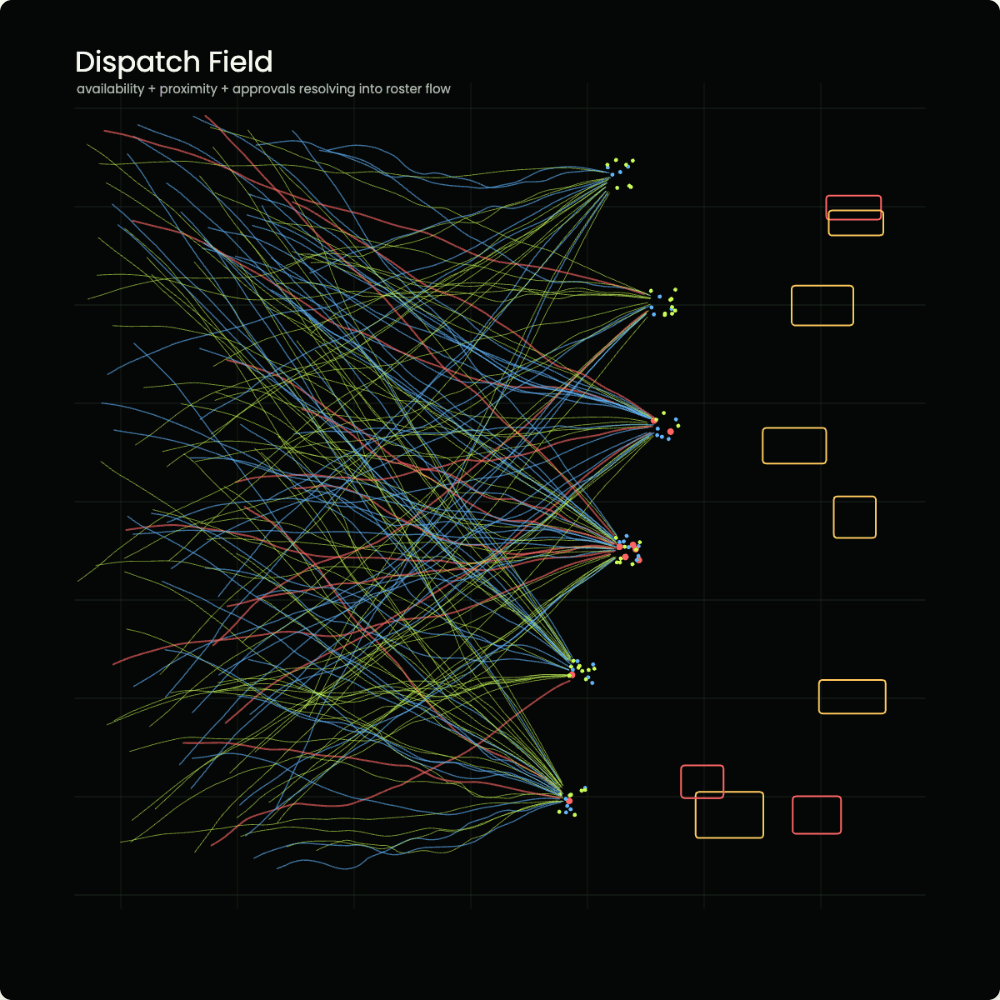
The field visual explains why matching is more than a yes/no availability check. A useful recommendation for your operation considers role tags, overlap conflicts, fatigue/rest warnings, and distance to the event. Geofenced check-in can come later; proximity-aware ranking is useful from the first serious version.
10 · Value Build
You are buying a workforce system, not a rota screen.
Decision question
Does this justify a deliverables-based price discussion?
What this screen proves
A full studio responsible for the mobile flow, dispatcher board, matching logic, notifications, audit trail, QA, deployment, and support would price this in the high five digits. A smaller studio may quote less, but the risk is a thinner system and less operational continuity. The founding-client discount only makes sense as part of a long-term partnership where the first package creates value now and leaves room to build value over time.
11 · Founding Partner Terms
Your better price comes from becoming the first serious partner.
Decision question
Would this partnership tradeoff work for you?
What this screen proves
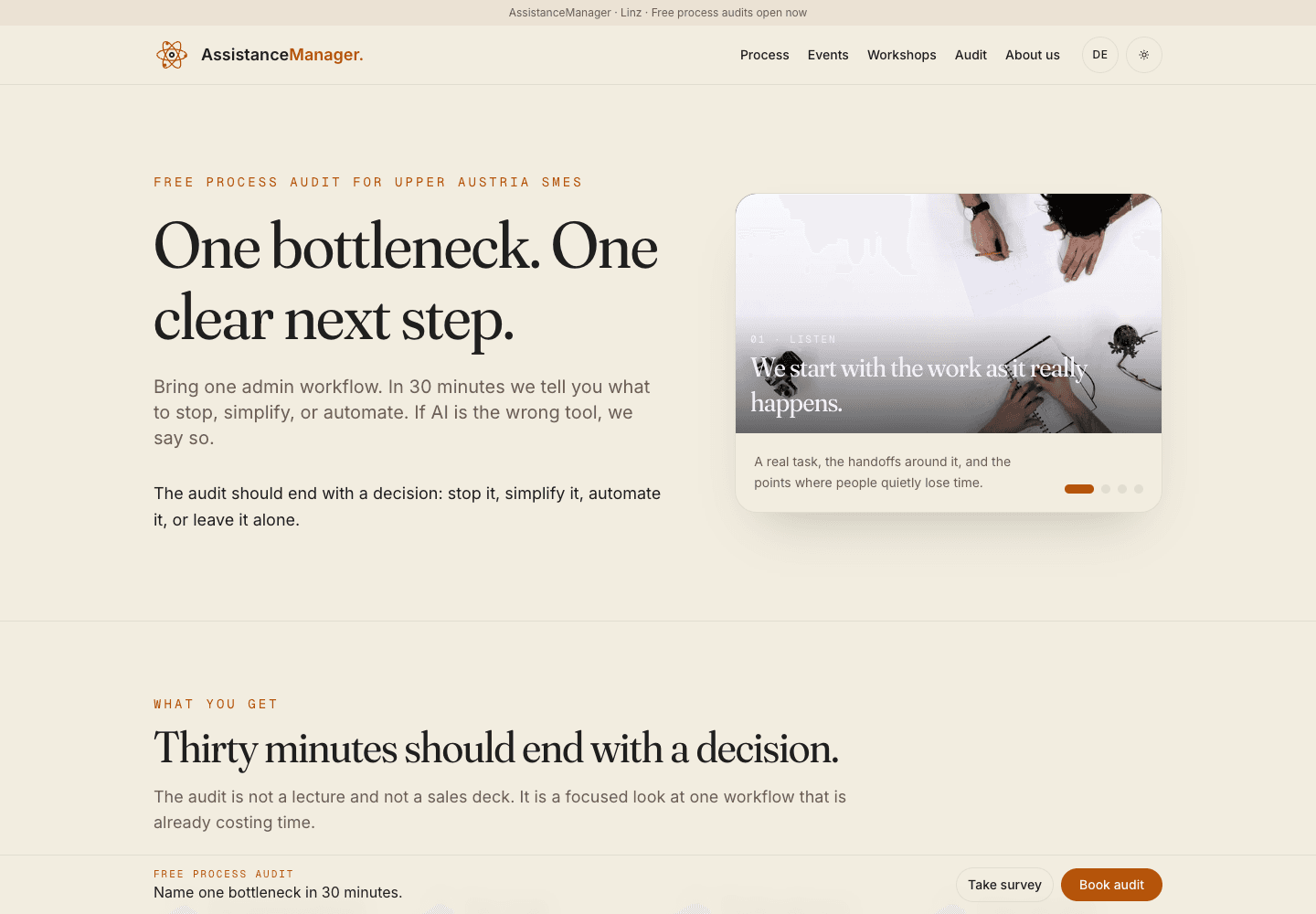
This is the tradeoff in plain language: you get stronger founding terms and real influence over the product because your operation becomes the proof case. In return, AssistanceManager keeps the reusable framework so the platform can keep improving beyond this first build.
12 · Credibility
You get a partner who has already worked inside this problem.
Decision question
Does this make the founding-partner discount feel earned?
What this screen proves
This is the personal reason behind the offer. I worked at Plasser & Theurer on this kind of resource and coordination problem in Dynamics 365: people, assignments, confirmations, exceptions, and real-world work that had to be visible. I also like events, event people, and event coordination. I do not like the admin around it, and that is exactly why I want the system to remove it. The reduced founding price is not because this is small work; it is because I want this to become a serious long-term AssistanceManager vertical.
13 · Roadmap
Your first build should ship the core dispatch loop first.
Decision question
Is this the right phase split for your first version?
What this screen proves
The roadmap protects your first version. The MVP should prove the core loop: staff availability, event requirements, assignment, confirmations, sickness/replacement handling, and audit history. Payroll, media, geofence, and messaging are valuable, but they should not delay the first working dispatch system.
14 · Additional Services
After staffing, your event data can feed a marketing loop.
Decision question
Would Pure Life's businesses want this growth loop after the staffing MVP?
What this screen proves
The staffing app is your internal operating system. The marketing loop is the external system: public pages that explain the businesses, forms that capture staff and event leads, media uploads from events, approval before publishing, and monthly visibility review. It is a separate offer, but it fits the same long-term relationship.
15 · The Ask
Choose the next decision you want in writing.
This close is for you: pick which decision should turn into a written scope, and which topics should stay separate for later.
Decision question
Which decision should become the written scope?
1. Scope the MVP
Turn the first delivery package into a written scope: availability, event creation, assignment, confirmations, sickness, replacement basics, and audit trail.
2. Decide founding-partner terms
Decide whether you want better terms and product influence in exchange for helping shape the reusable platform framework.
3. Park or open the growth loop
Decide whether website, recruiting, media, and marketing-loop work should follow later as a separate business-growth track.
16 · Next Step
If this feels right, the next step is a written scope.
Decision question
Is this worth turning into a scoped delivery proposal?
What this screen proves
The final screen brings the conversation back to action. If the workflow is right for you, the next document should define what version one includes, what it excludes, which milestone proves acceptance, and how the founding-partner tradeoff affects price.
Live workflow demo
Open the working demo while the pitch is still fresh.
Scan or click the code. The demo shows the dispatcher board, worker calendar, status changes, replacement logic, and confirmation tracking as one operating workflow.
 Scan or click for demohttps://assistancemanager.com/demos/event-staff-management/demo-App