A starter plan for one brand
Agree the audience and content themes, then set up a four-week starter calendar in one planning source. It is a working template, not a set of finished posts.
Social media onboarding · Linz & online
We set up a four-week calendar template for one brand and a place to review and approve posts. We test scheduling for up to three channels already connected to your ALLMEDIA workspace. You learn how to use the setup and keep a written guide. You supply the posts. Amy, the AI assistant in ALLMEDIA, helps you draft them. You review and approve each post before scheduling.
Discuss this in a free initial conversation ↗Your part. Our work. Your result.
Target: 2-3 weeks after scope, accounts and access are agreed

The platform for this onboarding
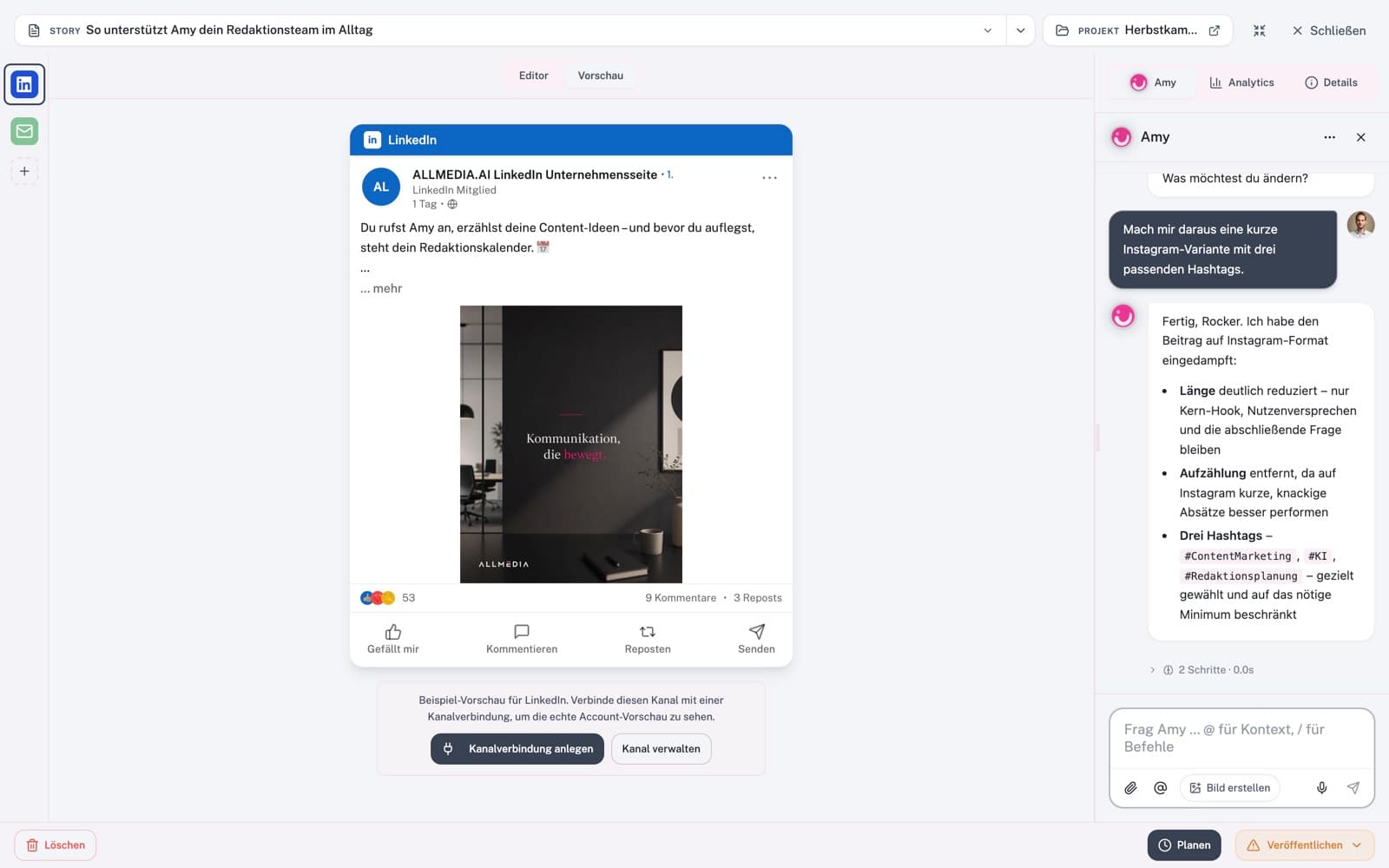
You supply the posts. Amy, the AI assistant in ALLMEDIA, helps you draft them. You check the facts and approve each post before scheduling. We help you set up and practise that workflow.
Your onboarding fee pays for our setup and training. ALLMEDIA licensing and usage fees are separate. We agree the required plan before setup.
View ALLMEDIA plans and pricing ↗Opens ALLMEDIA’s website in a new tab. Current provider prices and terms apply.
Agree the audience and content themes, then set up a four-week starter calendar in one planning source. It is a working template, not a set of finished posts.
Give each post a draft, review or approved status. A named person approves the actual content and destination channels before it is scheduled.
Connect the agreed planning source to one supported publishing platform. Test a representative post on each of up to three already-connected channels using test accounts or an approved live test.
Include one revision round, a one-hour handover and an operating guide covering scheduling, failed posts and account access. Fourteen days of stabilisation cover faults against the agreed specification.
ALLMEDIA licensing and usage fees are separate from this onboarding fee. €2,900 setup price before applicable VAT. When added to another package, this is an additional package fee. General AI onboarding (€2,900) plus social media onboarding (€2,900) totals €5,800 at the listed full prices, before applicable VAT. We reuse suitable materials and agree the combined work and scope before booking; no automatic bundle discount is implied. The social fee covers the content workflow, not rebuilding the same business context pack.
Illustrative example, not a client result.
The business supplies its answer to a common customer question and a suitable image. The draft enters the planning source. A named person checks the content and channels, approves it and uses the supported scheduling path.
Confirm one brand, the planning source, publishing platform, already-connected channels, content owner and technical fit.
Prepare the calendar template and approval queue. Test the agreed scheduling route and failed-post handling.
Practise using it, receive the operating guide and choose optional specialist care only if it is useful.
This onboarding is for ALLMEDIA. Reuse agreed business context, voice and brand materials where useful. Before booking, identify what already exists, the required ALLMEDIA plan and what work the social workflow still needs.
You supply the posts, with Amy helping you draft them. You check the content and approve each post before scheduling. Separately commissioned content remains your responsibility. Writing, design, video production, community management, ad spend, ALLMEDIA licensing and usage fees, other subscriptions, AI usage and new integrations are separate.
€250/month · Before applicable VAT
Weekly health checks, a monthly 30-minute review and up to one hour of agreed minor adjustments each month. Before applicable VAT. This care applies only to the agreed social workflow. Starts after handover. Setup can be booked without care. If AI workspace care is also requested, the combined care scope and fee are agreed before booking.
No. This is an onboarding service for ALLMEDIA. ALLMEDIA licensing and usage fees are separate. We confirm the required plan and its costs with you before setup.
Yes. It can be booked independently or added to another package. The enquiry allows social media onboarding without selecting a main offer.
No. It is an additional €2,900 setup package before applicable VAT. If both are chosen at their listed full prices, the one-off package fees total €5,800 before applicable VAT. We confirm combined scope before booking.
Yes, where suitable and agreed. We identify the business context, voice and brand materials already available and the remaining work. The social package sets up the content workflow; it does not recreate the same context pack or imply an automatic discount.
It is a four-week working calendar template. You supply the posts. Amy, the AI assistant in ALLMEDIA, helps you draft them. You check the facts, supply suitable visuals and approve each post before scheduling. Ongoing content production and community management are outside this setup.
We check your ALLMEDIA plan, connected channels and access before confirming scope. The package covers one planning source and up to three channels already connected to ALLMEDIA. Custom connectors and new integrations are separately quoted.
Only the agreed social workflow: weekly health checks, a monthly 30-minute review and up to one hour of agreed minor adjustments. The initial response target is two business days during the stated service hours. It is not the price of general ongoing support.
Content production, platform subscriptions, AI usage, hosting, community management, advertising spend and larger changes are separate costs or work. These are agreed before commitment.
A useful next step
You do not need to choose every detail now. Describe one task, and we can agree which help fits.
One agreed focus, practical work on your task and a written result your business can use.
A reusable business context pack, one working AI workspace, guided practical training and a handover guide.
Regular checks, agreed small updates and a short record of what changed or still needs attention.